Moving hosts between datacenters with PowerCLI
Table of Contents
Today while I was setting up a new vCloud lab at home I just noticed that by mistake I added one of the ESXi to the wrong cluster and in the wrong datacenter.
To be honest, fixing this is not a big deal. Just put the host in maintenance mode, get it out of the cluster and move to the correct datacenter. With the vSphere Client it can be done with a couple of clicks and a simple drag and drop. But my mistake gave me the opportunity to correct it using PowerCLI and write this small but hopefully useful blog post.
To explain a bit the scenario. I currently have two datacenters in my homelab, one for my day to day tests and labs and another one for vCloud Director.
Step 1 - Put the host in maintenance mode #
To do so we re going to use the Set-VMHost cmdlet.
C:\
[vSphere PowerCLI] % Set-VMHost -VMHost vcloud-esxi1.vjlab.local -State "Maintenance"

Name            ConnectionState PowerState      Id CpuUsage CpuTotal  Memory  Memory
                                                        Mhz      Mhz UsageMB TotalMB
----            --------------- ----------      -- -------- -------- ------- -------
vcloud-esxi1... Maintenance     PoweredOn  ...t-88      126     5670     873    3071

C:\
[vSphere PowerCLI] %
Step 2 - Move the host out of the cluster #
To perform this use the Move-VMHost cmdlet.
C:\
[vSphere PowerCLI] % Move-VMHost -VMHost vcloud-esxi1.vjlab.local -Destination vjlab-dc

Name            ConnectionState PowerState      Id CpuUsage CpuTotal  Memory  Memory
                                                        Mhz      Mhz UsageMB TotalMB
----            --------------- ----------      -- -------- -------- ------- -------
vcloud-esxi1... Maintenance     PoweredOn  ...t-88       92     5670     870    3071

C:\
[vSphere PowerCLI] %
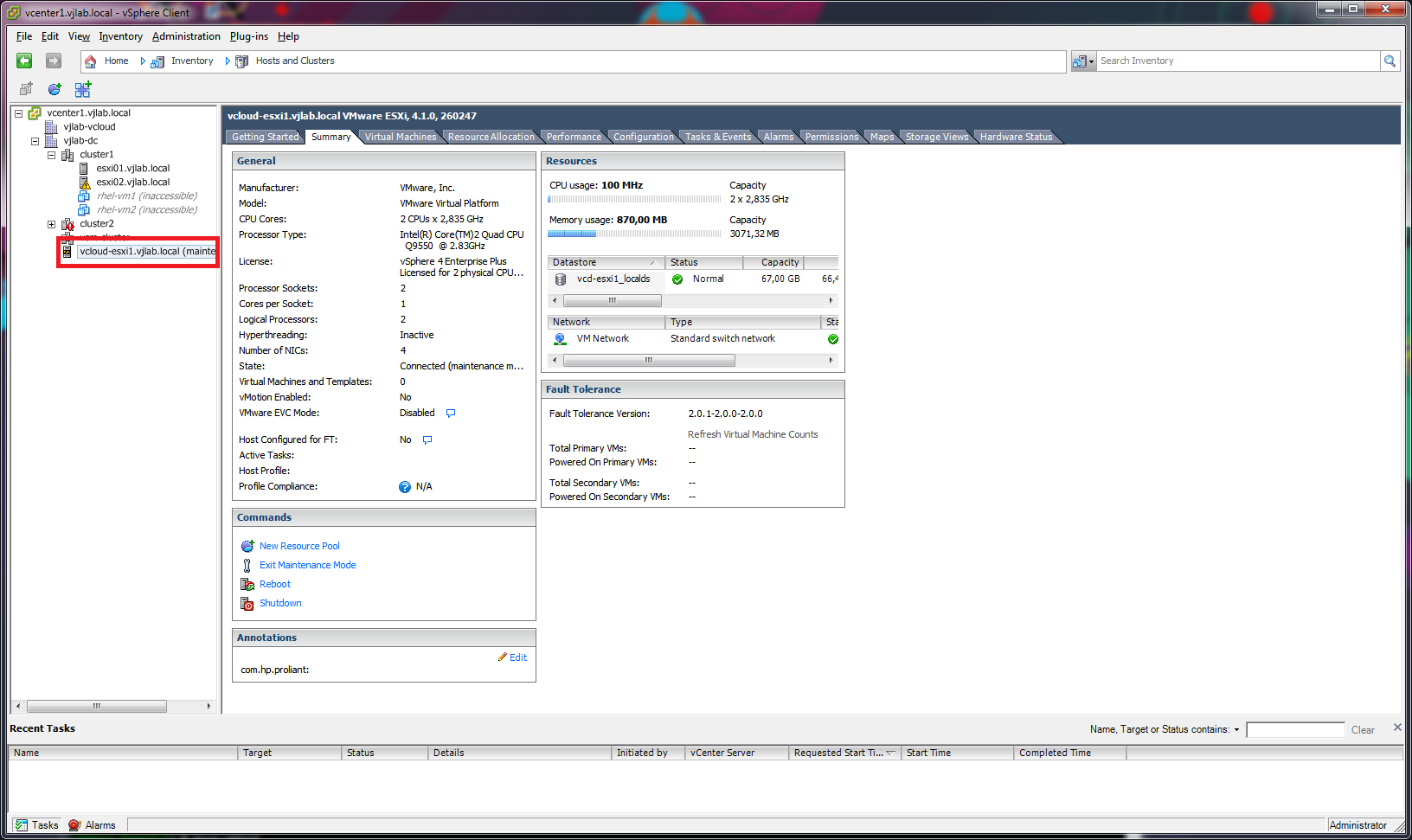
If you check now the vSphere Client will see the host out of the cluster but still in the same datacenter.
Step 3 - Move the host to the correct datacenter #
Now that our host is in maintenance mode and out of the cluster it is time to move it to the correct datacenter. Again we will use Move-VMHost.
C:\
[vSphere PowerCLI] % Move-VMHost -VMHost vcloud-esxi1.vjlab.local -Destination vjlab-vcloud -Verbose
VERBOSE: 03/02/2011 22:30:39 Move-VMHost Started execution
VERBOSE: Move host 'vcloud-esxi1.vjlab.local' into 'vjlab-vcloud'.
VERBOSE: 03/02/2011 22:30:41 Move-VMHost Finished execution

Name            ConnectionState PowerState      Id CpuUsage CpuTotal  Memory  Memory
                                                        Mhz      Mhz UsageMB TotalMB
----            --------------- ----------      -- -------- -------- ------- -------
vcloud-esxi1... Maintenance     PoweredOn  ...t-88       63     5670     870    3071

C:\
[vSphere PowerCLI] %
Finally put the ESXi out of maintenance mode.
C:\
[vSphere PowerCLI] % Set-VMHost -VMHost vcloud-esxi1.vjlab.local -State Connected

Name            ConnectionState PowerState      Id CpuUsage CpuTotal  Memory  Memory
                                                        Mhz      Mhz UsageMB TotalMB
----            --------------- ----------      -- -------- -------- ------- -------
vcloud-esxi1... Connected       PoweredOn  ...t-88       98     5670     870    3071

C:\
[vSphere PowerCLI] %
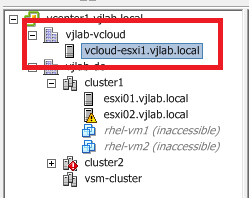
Check that everything is OK with the vSphere Client and we are done.
Juanma.